Dashboard
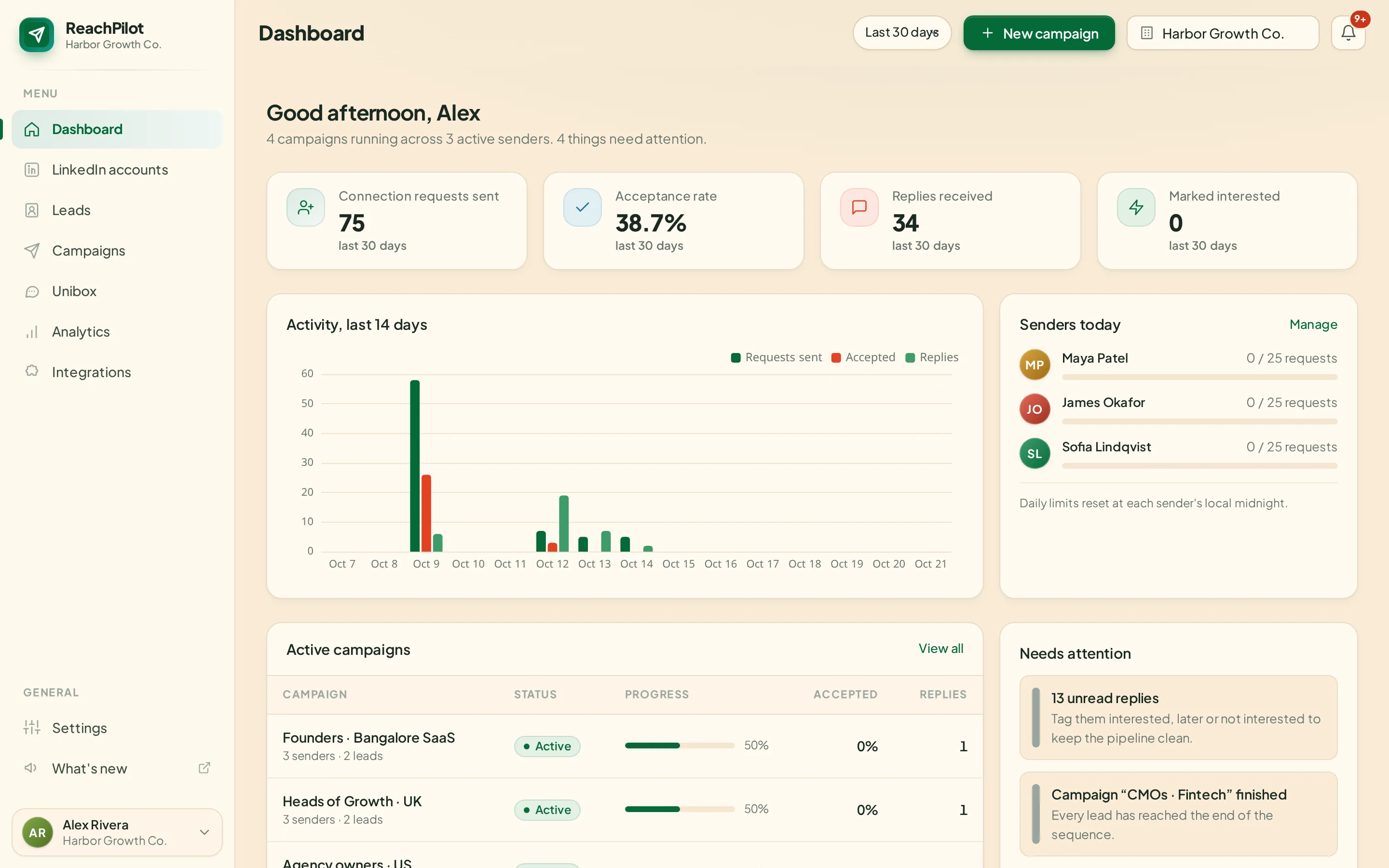
What was sent, who accepted, who replied, and how much of each sender’s daily limit is left.
- Requests, acceptance, replies and interested leads
- Each sender’s daily limit, live
- Unread replies and finished campaigns flagged
Connect every LinkedIn account you manage, describe who you want to reach, and ReachPing runs the invites, messages and follow-ups. Every reply comes back to one inbox.
Many accounts
Every sender, one cockpit.
Works with
Why we built it
What you get
The product
Real screens from the app, not mock-ups.
What was sent, who accepted, who replied, and how much of each sender’s daily limit is left.
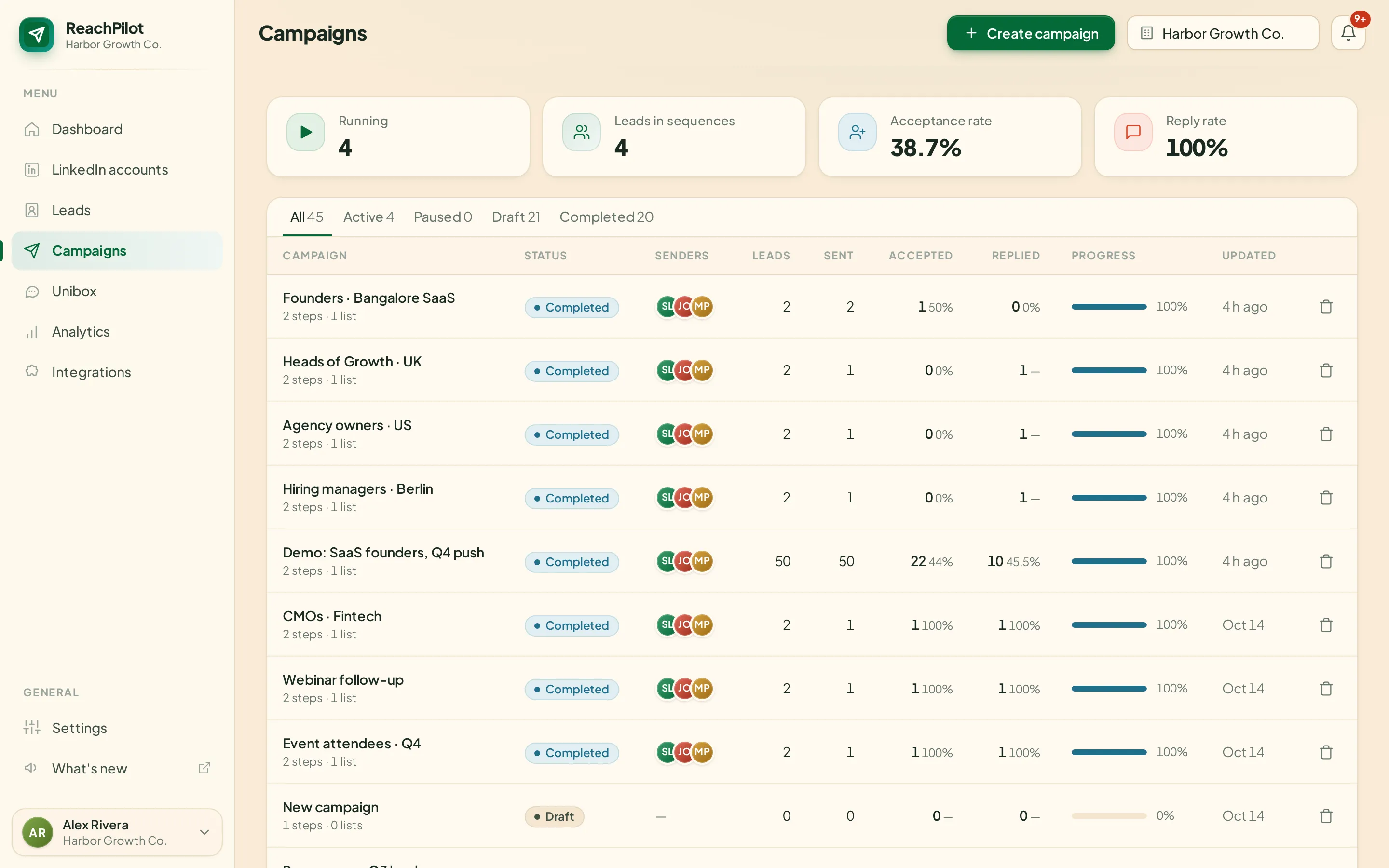
Every running campaign with its senders, progress and replies in one list.
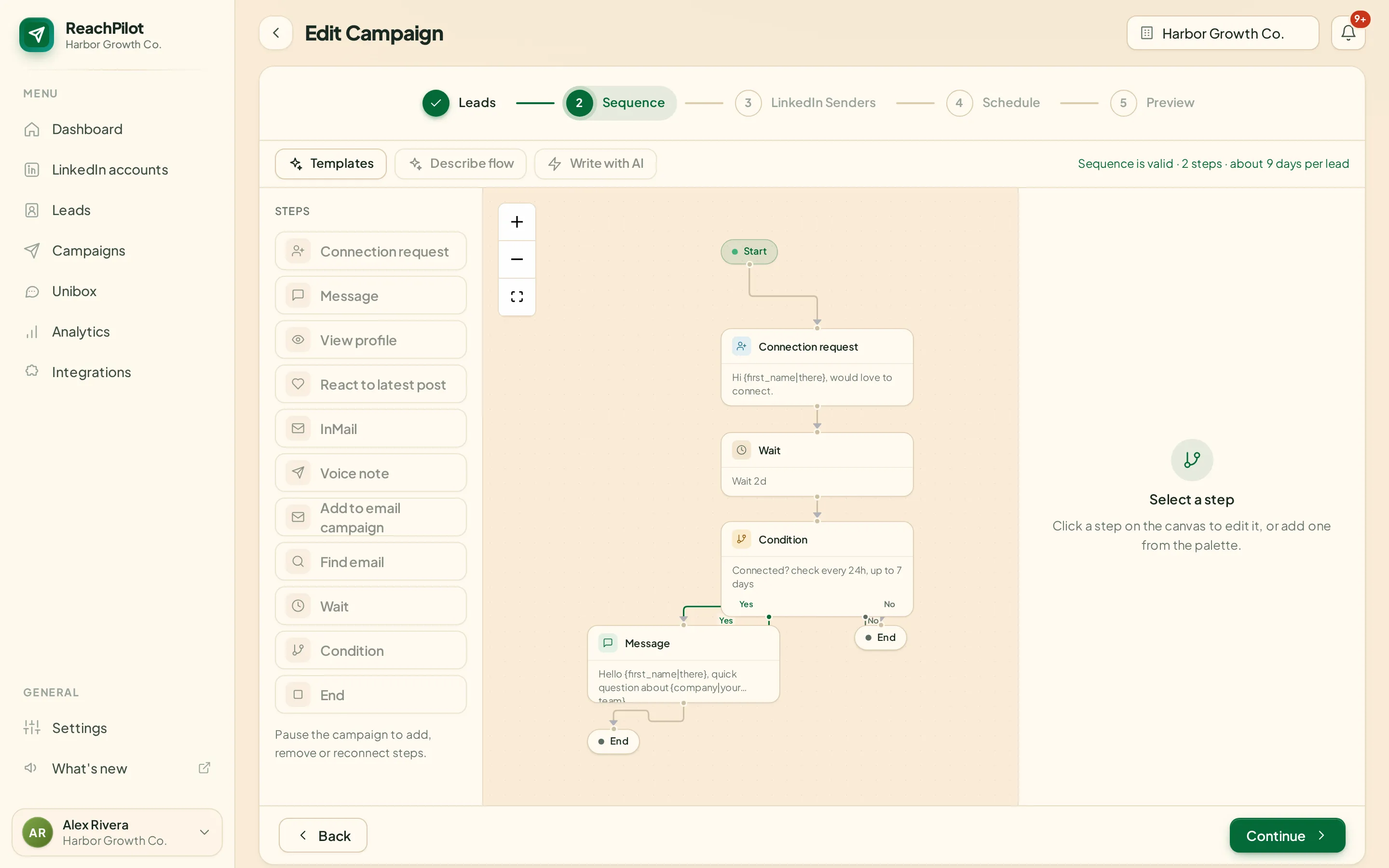
Steps, waits and Yes/No branches on a canvas, or written as a sentence and built for you.
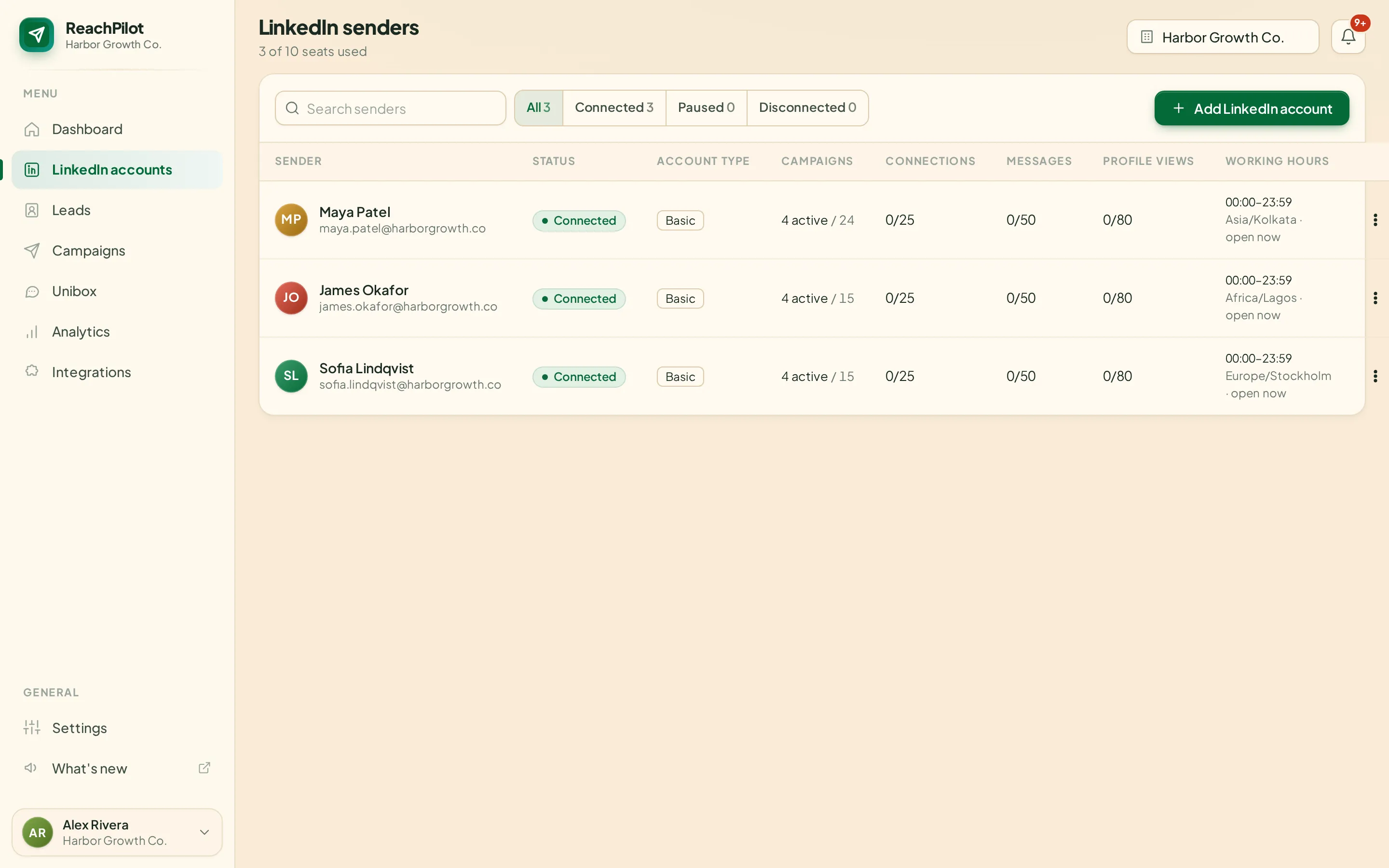
Each sender with its own daily limits, working hours and time zone.
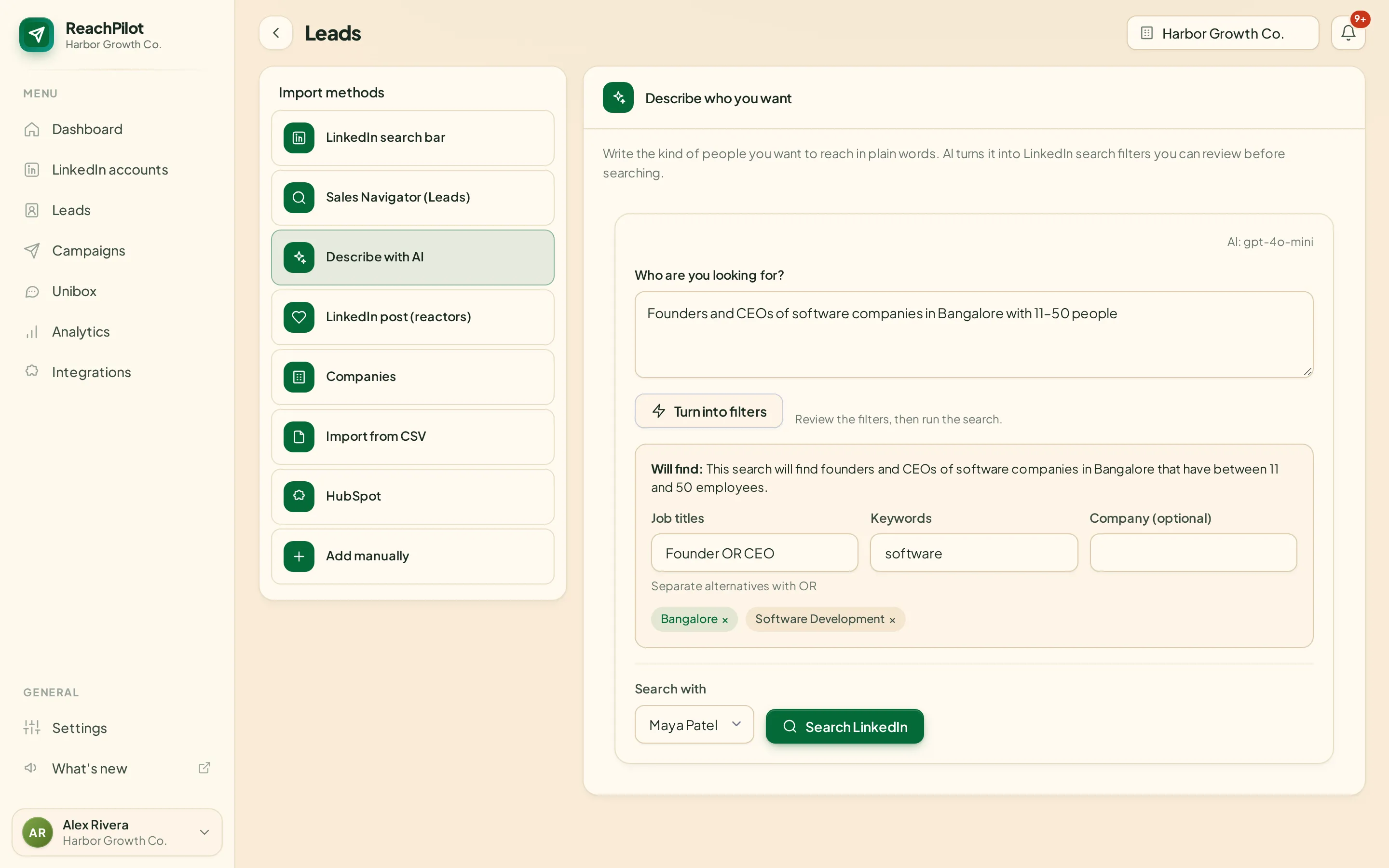
Describe who you want and get search filters you can check before searching.
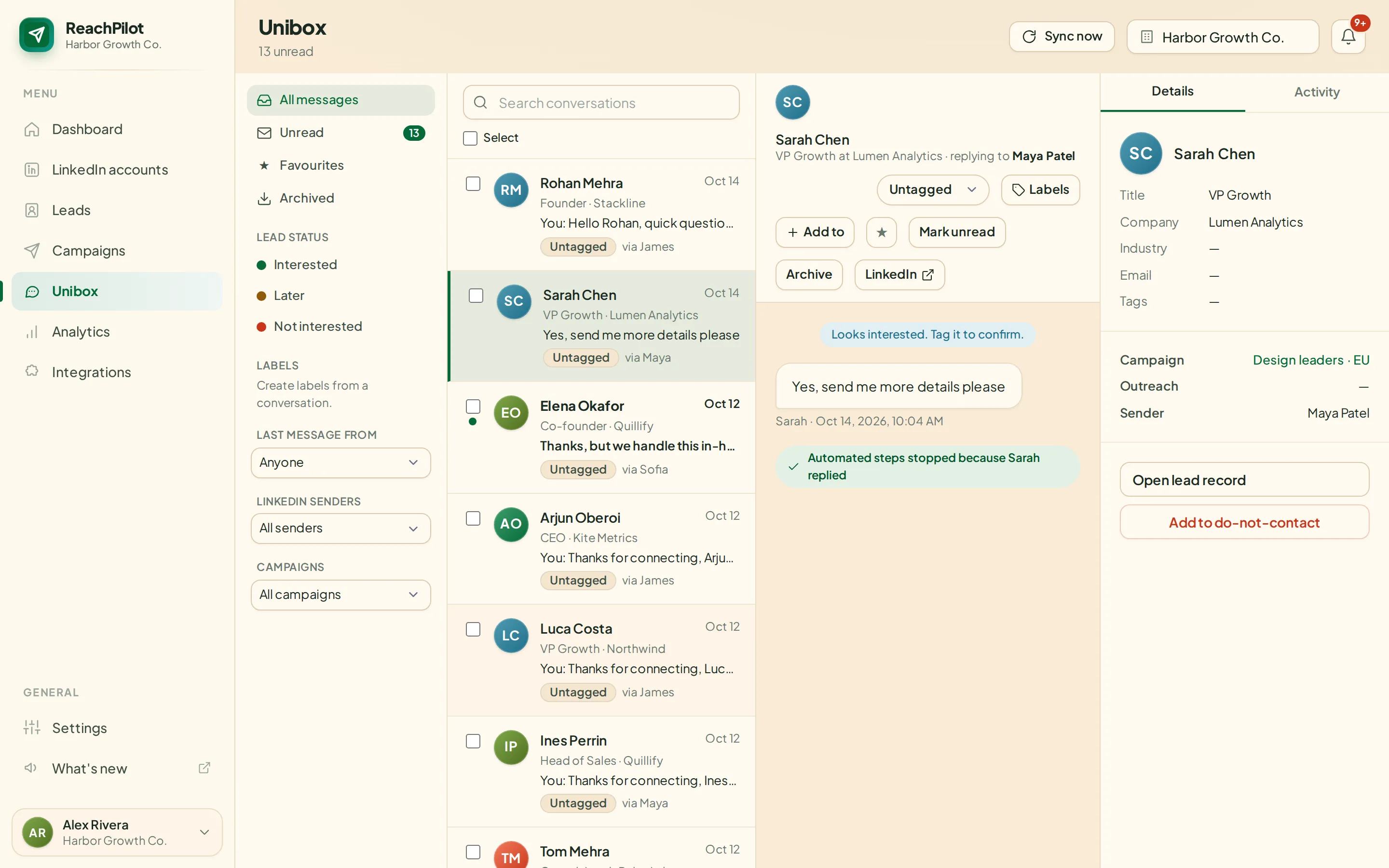
Every reply from every account in one inbox, with AI reply suggestions.
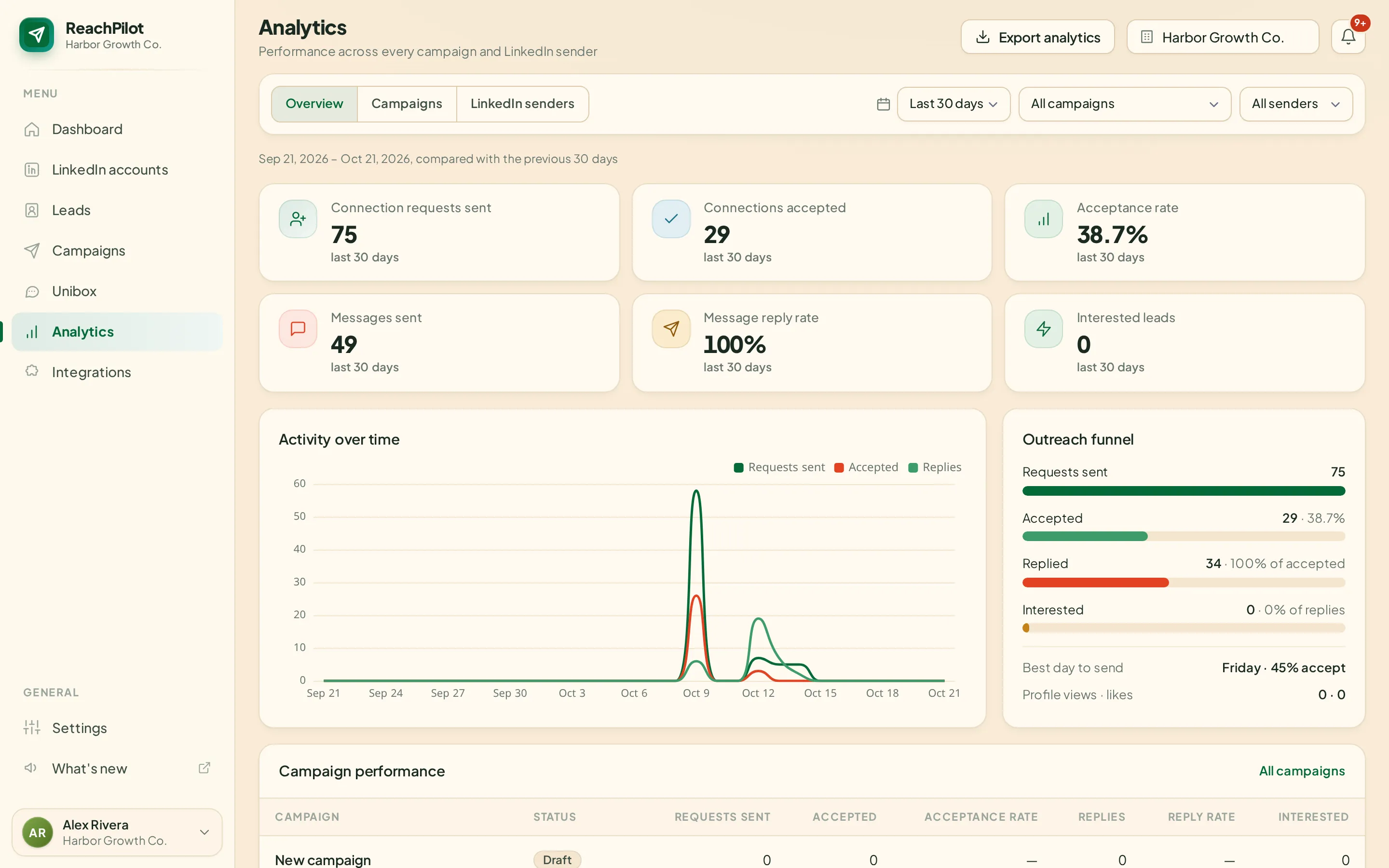
Acceptance and reply rates per step, per sender and per message variant.
How it works
Sequence builder
Mix LinkedIn steps, waits and Yes/No conditions. Every lead walks its own path: thank the ones who accept, follow up with the ones who go quiet, stop for everyone who replies.
AI built in
Write who you want to reach, how the outreach should flow, or what a lead just asked. You get filters, a ready sequence or reply drafts, and you review everything before anything is sent.
Sender rotation
Add one lead list and ReachPing shares it out across all your LinkedIn senders. Each account keeps its own daily limits, hours and time zone, so you send more without pushing any single profile.
Everything in one login
Prospecting, sequences, inbox, email, voice and reporting, all behind one login.
AI turns a sentence into LinkedIn search filters you can check before searching.
Write the steps in words. AI builds the canvas with waits, branches and messages.
Spread one campaign across many accounts, each kept inside its own daily limits.
Every conversation from every sender in one inbox, with tags, notes and AI replies.
Find work emails from name and company, then hand leads to your email tool.
A personal voice note for every lead, spoken from your script with natural voices.
Import companies, then find the decision makers at each one in a click.
HubSpot sync, Slack alerts, signed webhooks, a REST API, a CLI and an MCP server.
Acceptance and reply rates per step, sender and message variant.
Agencies run each client in its own branded workspace with its own data.
By the numbers
0
Invites a week
0
New connections
0
Conversations
Move the sliders for a rough weekly picture, based on 5 sending days. Real numbers depend on who you target and what you write, so treat this as a starting point, not a promise. LinkedIn caps weekly invites per account, so ReachPing keeps each sender below that.
Why switch
Swipe sideways to compare →
| Doing it by hand | Single-account tools | ReachPing | |
|---|---|---|---|
| Many LinkedIn accounts in one place | — | — | |
| Leads shared out across senders | — | — | |
| Every reply in one inbox | — | some | |
| Branching sequences with conditions | — | some | |
| Describe leads and flows in plain words | — | — | |
| Limits, warm-up and hours per account | you remember | some | |
| Separate branded workspace per client | — | — |
Account safety
Your LinkedIn accounts are your pipeline. ReachPing paces every sender like a careful person would, and steps back the moment LinkedIn pushes back.
Invites, messages, views and InMails are capped per sender, per day.
New accounts start slow and ramp up over the first weeks.
Actions only run inside each sender’s own hours.
Randomised gaps between actions, never bursts.
When LinkedIn logs an account out or limits it, its leads pause instead of failing.
Your leads and conversations are never mixed with anyone else’s.
Pricing
Every plan has unlimited campaigns and every feature on this page. Prices in US dollars, billed monthly.
For small teams and agencies getting started.
A flat price for up to 50 senders.
For large agencies, fair use up to 300 senders.
FAQ
Anything else? Start a workspace and we’ll help you set it up.
A LinkedIn outreach platform for sales teams and agencies. You connect LinkedIn accounts, add leads, build a sequence of steps and ReachPing runs it for every lead, while all replies come into one inbox.
No tool can promise that LinkedIn will never restrict an account. ReachPing lowers the risk with per-account daily limits, warm-up for new accounts, working hours, human pacing and automatic pausing. New accounts should start slowly.
As many as your plan allows: pay per sender on Growth, up to 50 on Agency and up to 300 on Unlimited. One campaign can rotate leads across all of them.
No. Regular LinkedIn accounts can view, connect, message and send voice notes. Sales Navigator adds InMail and Sales Navigator search imports.
Yes. Every workspace has its own database, its own senders and its own branding, so client data never mixes.
It turns a description of your ideal customer into search filters, builds a sequence from a description of the flow, drafts messages and suggests replies. You review everything before it goes out.
HubSpot, Slack, Instantly, Smartlead, EmailBison, Zapier, Make, n8n and Clay, plus webhooks, a REST API, a command-line tool and an MCP server for AI agents.